Any links to online stores should be assumed to be affiliates. The company or PR agency provides all or most review samples. They have no control over my content, and I provide my honest opinion.
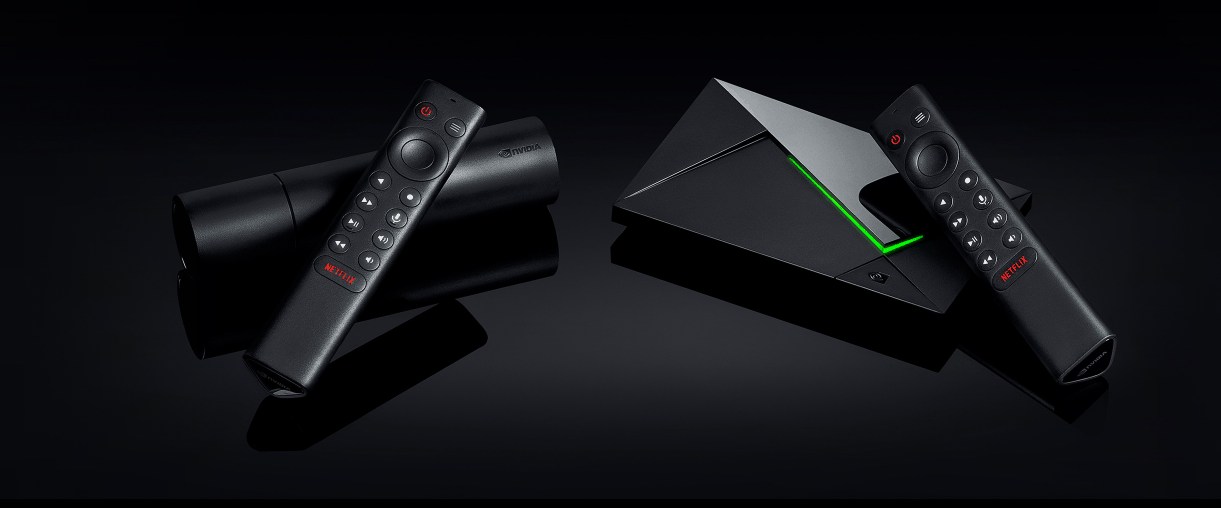
Yesterday Nvidia finally took the wraps off their new NVIDIA Shield TV and the Pro models with the new tubular-shaped model lowering the price down to £150 compared to the £180 currently charged for the existing model, and making it quite competitive with the new Fire TV Cube at £110.
With Black Friday and Christmas coming up people will no doubt be looking for a great deal on streaming devices, and if you want the absolute best which is it?
Related Content
- NVIDIA Shield TV 2019 Review
- Amazon Fire TV Cube Review
- Amazon Fire TV Cube 4K (2019) vs Nvidia Shield
- New Fire TV Cube 4K Ultra vs Amazon Fire TV 4K HDR
- Nvidia Shield with Plex Server and live TV via HDHomeRun Guide
[amazon table=”27128″]
NVIDIA Shield TV 2019 vs Shield TV 2017
Nvidia has gone for the increasingly common Pro and non-Pro option for the new Shield TV in order to achieve a more attractive price point while still charging enthusiasts as much as possible for the best model.
Not a huge amount has changed between the old Shield and the new Shield, so if you are thinking of upgrading, it might not be worth it.
The new Shield features the latest advanced NVIDIA Tegra X1+ processor makes the Shield up to 25% faster than the previous generation. In reality, I am not sure how much difference that will make for users, if you are a big gamer it is worth considering.
For me, the main reason to upgrade would be for the inclusion of Dolby Vision. If you have spent a lot on a TV that features this, you probably want to actually use this form of HDR. Unfortunately, for whatever reason, Nvidia has chosen not to include HDR10+, so if this is the technology you are using, you may want to look elsewhere.
There are two other big upgrades too. The remote has seen a massive improvement, bringing it in line, if not better than the new Amazon TV remote. It can now be programmed to control your AV equipment, it uses batteries, and there is even a built-in lost remote locator. Furthermore, it has a slight edge over the Fire remote thanks to a dedicated Netflix button and a programmable button that you can set to load up Kodi, Plex or any other function you want.
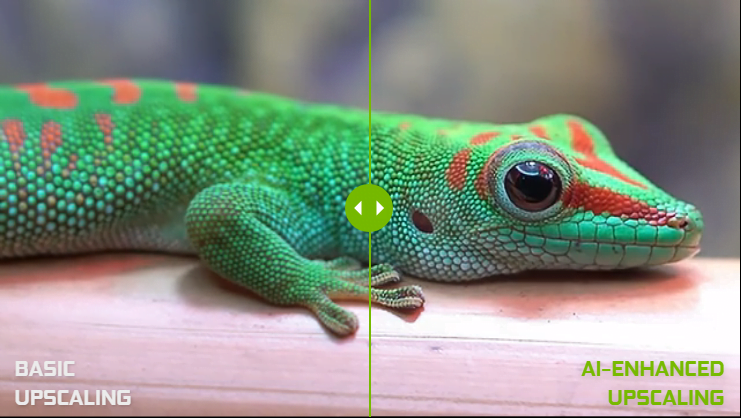
Lastly, and the jury is still out on this one, is the new 4K AI upscaling for HD content. If you have a 4K TV, your TV will typically convert 1080P to 4K, or alternatively, whatever device is playing the content. Quite often it is regarded best to leave your TV to do it, but Nvidia claims their 4K upscaling is much better providing crisper, clearer, video-enhanced to 4K resolution in real-time.
So if you want a Shield, but don’t have an older model, absolutely get this. If you do have a shield but don’t have a TV with Dolby Vision, you may as well keep your existing Shield
NVIDIA Shield TV Pro or Non-Pro?
For most people, you will be best to get the cheaper model, but again, it is dependant on usage.
The cheaper model uses 2GB of RAM and 8GB of onboard storage expandable via microSD
The Pro bumps this up to 3GB and 16GB plus adds in two USB 3.0 Ports (Type A).
However, it is only the Pro model that can use Plex Media Server. Even if the none pro one had it, it wouldn’t be a great deal of use with only microSD.
For comparison, the older Shield had 3GB of RAM and 16GB of storage
[Update] During my review of the standard tubular Shield it came to my attention that this model uses 32-bit Android not 64-bit which will affect your ability to install some 65-bit only apps such as Dolphin. It put me off it at first, but I have decided to keep mine and have sent the Fire TV Cube back
NVIDIA Shield TV 2019 vs Fire TV Cube?
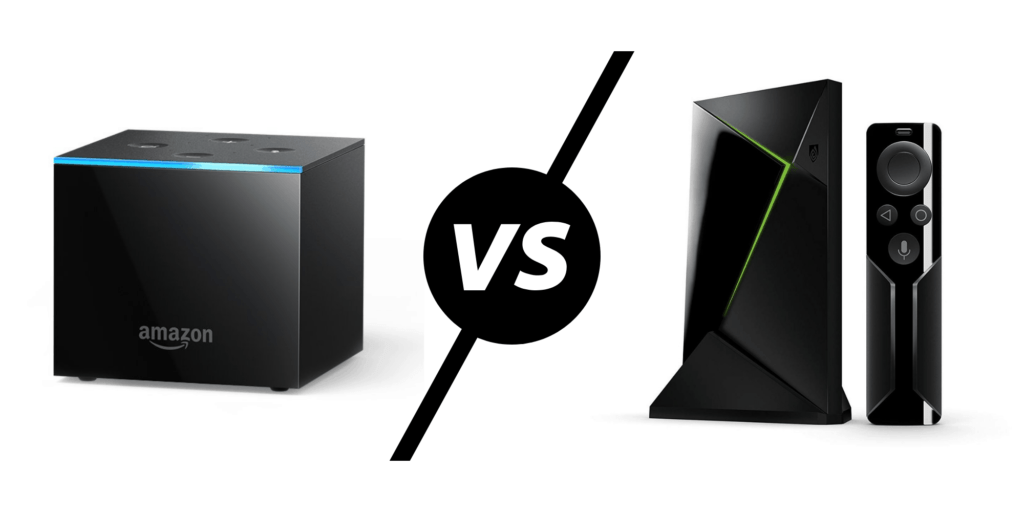
With the two devices priced a bit closer together, the decision between which is best is a little harder.
Again, it is dependant on usage, I have always regarded the Fire TV as the best for media streaming, whereas the Nvidia is best for gaming and arguably local content.
Both Nvidia models have ethernet, which for me, is preferable if you want to try and watch a local 4K file from a networked drive. The Pro model has Plex Media Server giving you the option to build up your own local TV and Movie collection.
This remains mostly true for UK users as I will assume the Shield has not introduced several of the catchup services we have. You can, of course, use Chromecast to watch this content, but it is not ideal.
Because it has Chromecast 4K, it will be compatible with Google Stadia eventually, and they also have Geforce Now and Nvidia’s in-home game streaming tools. Then the raw power of the NVIDIA Tegra X1+ is great for emulation or other games you can download on Google Play.
For the Fire TV Cube, they have an Alexa speaker built-in, giving you proper voice control over your TV including switching it on. They have a full list of catch up services and they also support HDR10+.
Overall, they are both amazing devices, I suspect the Amazon will sell more, but enthusiasts and tech geeks will continue to regard the Shield as the best device on the market.
[amazon box=”B07Z6QQZPF” description=” “]
[amazon box=”B07Z6RD4M9″ description=” “]
[amazon box=”B075TBK232″ description=” “]
[amazon box=”B07MNBT68T” description=” “]
Comparison Table
[table id=148 /]